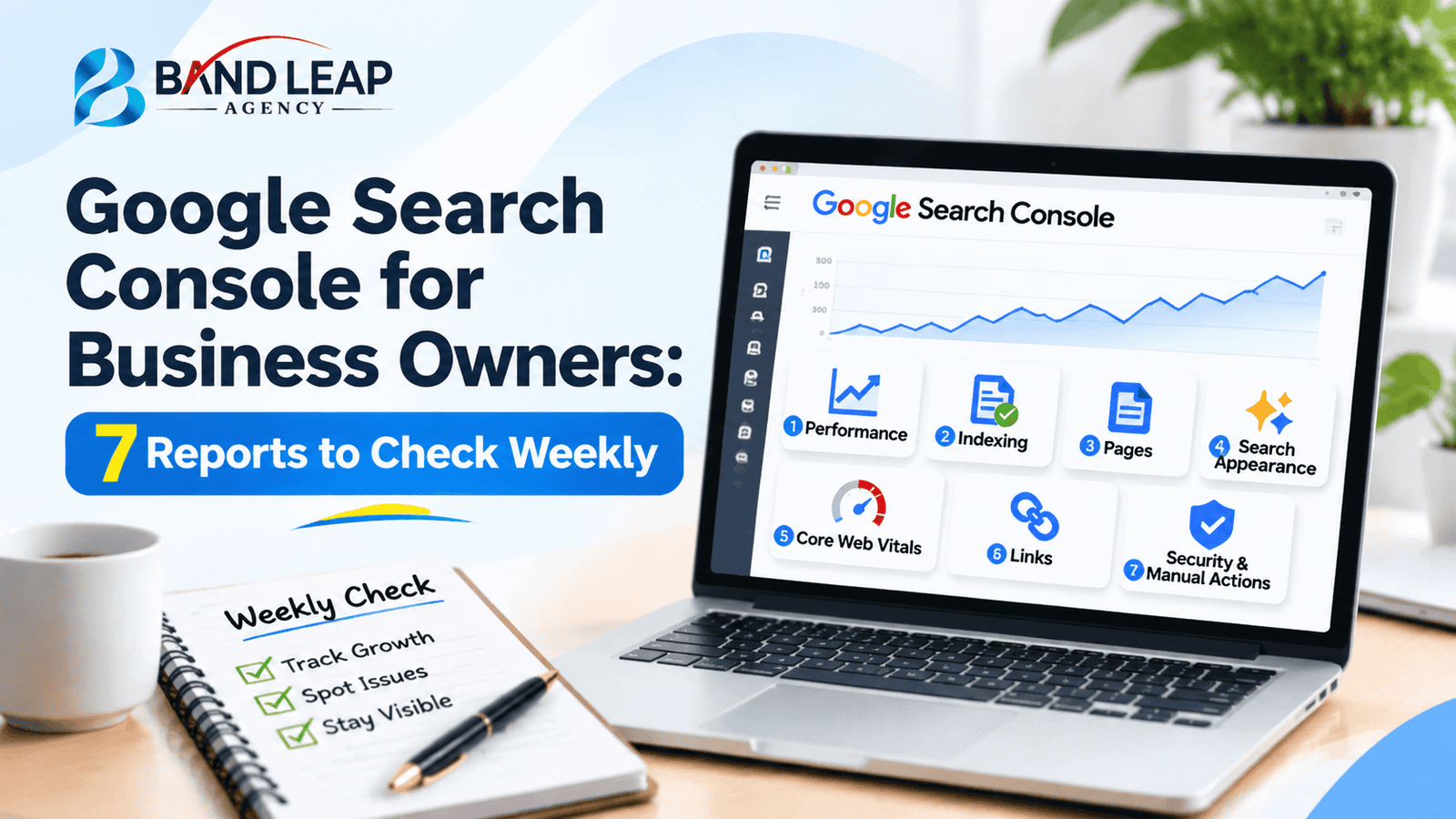
Google Search Console is a free tool that shows how your website performs in Google Search: which searches bring visitors, which pages Google has indexed, and which technical problems may be holding you back. If you own a business, you do not need to master every screen. Seven reports, checked for about 15 minutes a week, will tell you most of what you need to know.
This guide explains each of those seven reports in plain language, what “good” looks like, and when a problem is worth handing to a developer or SEO specialist. It is written for business owners, not technical SEOs.
The seven reports in one list
- Performance: clicks, impressions, click-through rate, and average position.
- Pages (indexing): which pages Google has and has not indexed.
- Sitemaps: the list of pages you want Google to find.
- Core Web Vitals: real-world speed and stability on mobile and desktop.
- Manual actions and security issues: urgent warnings.
- Links: who links to you and how pages link internally.
- URL Inspection: a check on any single page.
First: make sure Search Console is set up properly
Add your site as a property and verify ownership. A domain property covers every version of your site (http, https, www, and subdomains), so it gives the most complete picture. Google explains the basics in its own Search Console getting-started guide, and keeps a list of every report on its reports at a glance page.
Data starts collecting only after verification, so set it up today even if you do not plan to look at it for a while. Also add a second owner, such as your marketing manager or agency, so access is never lost.
Report 1: Performance
This is the report you will use most. It shows four numbers: clicks (visits from Google), impressions (times your pages appeared), click-through rate (clicks divided by impressions), and average position.
What to look at each week
- Queries tab: which searches bring people to you. Look for service or product terms, not just your brand name.
- Pages tab: which pages earn the most clicks. These are your proven assets.
- Countries and devices: useful if you serve more than one market or if most visitors use phones.
A simple opportunity to find
Filter for queries where you have many impressions but few clicks, and where the average position is somewhere around 5 to 15. These pages already have Google’s attention. A clearer title, a stronger meta description, or a more complete answer often lifts them. Compare date ranges (for example, the last 28 days against the previous 28) rather than trusting memory, and remember that Search Console keeps roughly 16 months of data.
Report 2: Pages (indexing)
A page that is not indexed cannot appear in Google results. The Pages report lists how many URLs are indexed and, more usefully, why others are not.
| Status you may see | What it usually means | Worry level |
|---|---|---|
| Crawled, currently not indexed | Google saw the page but chose not to index it, often due to thin or duplicate content | Medium |
| Discovered, currently not indexed | Google knows the URL but has not crawled it yet | Low to medium |
| Excluded by “noindex” | The page tells Google not to index it | High if it is an important page |
| Not found (404) | The URL does not exist | Low, unless it was a page you want |
| Page with redirect | The URL forwards elsewhere | Usually fine |
Not every non-indexed page is a problem. Login pages, filtered URLs, and duplicates are often better left out. The question to ask is: are my money pages (services, products, key blog posts) indexed? If not, find out why. Our guides on why a website is not ranking and crawl budget cover common causes.
Report 3: Sitemaps
A sitemap is a file that lists the pages you want Google to find. Submit it once, then check that the status says “Success” and that the number of discovered pages looks realistic. A good sitemap contains only canonical, indexable pages that load properly. If it lists redirected, deleted, or duplicate URLs, clean it up. Most WordPress SEO plugins generate this file automatically.
Report 4: Core Web Vitals
Core Web Vitals show how real visitors experience your pages. They measure loading speed (Largest Contentful Paint, or LCP), responsiveness (Interaction to Next Paint, or INP), and visual stability (Cumulative Layout Shift, or CLS). Pages are grouped as Good, Needs improvement, or Poor.
You do not need to fix scores yourself. Check whether the number of Poor pages is rising, note the affected page types, and pass the report to your developer. The usual fixes are compressing images, removing unused scripts, and improving hosting speed. Slow pages hurt conversions as well as rankings, so they matter even before they become an SEO issue.
Report 5: Manual actions and security issues
This is the report you hope is empty. A manual action means a human reviewer at Google has found a violation of spam policies, and part or all of your site may be demoted or removed from results. Security issues flag hacking or malware. If either report shows a message, treat it as urgent and contact your developer or agency the same day.
One useful detail: if traffic suddenly dropped but both reports say no issues, you probably do not have a penalty. Look instead at algorithm updates, technical changes, or new competitors. Our article on the Google September 2026 spam update walks through that kind of diagnosis.
Report 6: Links
The Links report shows your top linked pages, the sites that link to you, and your most-used anchor text, plus how your own pages link to each other. Use it for two jobs. First, spot unusual spikes of low-quality links. Second, find important pages that have few internal links and add some from related content. Good internal linking is one of the cheapest ranking improvements available.
Report 7: URL Inspection
Paste any URL from your site into the search bar at the top. Search Console tells you whether the page is indexed, when it was last crawled, which canonical URL Google chose, and whether it is mobile friendly. After publishing or significantly updating a page, you can request indexing here. It does not guarantee a ranking, but it prompts Google to look sooner.
A 15-minute weekly routine
- Minutes 1 to 3: Open Manual actions and Security issues. Confirm there are no new messages.
- Minutes 4 to 8: Check Performance over the last 28 days against the previous period. Note the top rising and falling pages.
- Minutes 9 to 11: Open Pages. Make sure no important page has dropped out of the index.
- Minutes 12 to 13: Check Core Web Vitals for a rise in Poor pages.
- Minutes 14 to 15: Inspect one new or updated page and write down one action for next week.
Mistakes business owners make with Search Console
- Checking only total clicks. Look at which queries and pages drive the change.
- Panicking over every warning. Many excluded pages are intentional. Focus on important URLs.
- Ignoring low click-through. A page with many impressions and few clicks often needs a better title, not more content.
- Mixing up Search Console and Google Analytics. Search Console shows what happens in Google Search before the click. GA4 shows what visitors do after they arrive. You need both.
- Never recording changes. Keep a short log of edits so you can link results to actions.
When to bring in an SEO specialist
Handle the weekly check yourself. Ask for help when you see a manual action, many important pages not indexed, a sharp traffic drop with no clear cause, or repeated Core Web Vitals failures. A structured SEO audit or a technical SEO review can turn those signals into a prioritised fix list.
Frequently asked questions
Is Google Search Console free?
Yes. It is a free Google tool for any website owner who can verify ownership of their site.
What is the difference between Search Console and Google Analytics?
Search Console shows how your site appears and performs in Google Search. Google Analytics shows what visitors do on your site after they arrive.
How often should I check Search Console?
Once a week is enough for most small businesses. Check sooner if you have just launched a site, changed your structure, or seen a traffic drop.
Why is my page not indexed?
Common reasons include a noindex tag, thin or duplicate content, blocked crawling, or Google simply not having crawled it yet. The Pages report and URL Inspection show the specific reason.
Does Search Console improve my rankings?
No. It does not change rankings by itself. It gives you the data to find problems and opportunities, which you then act on.
Conclusion
Search Console rewards consistency more than expertise. Set it up, spend 15 minutes a week on the seven reports above, and write down what you change. Over a few months you will see which pages earn traffic, which are stuck, and where a small fix could bring leads.
Looking to improve your website’s search visibility and generate more qualified leads? Brandleap Agency can help you build a data-driven SEO strategy tailored to your business goals.