Artificial intelligence is changing how businesses communicate with customers, manage information, and build their online presence. As AI-powered platforms become increasingly important, businesses are exploring new ways to establish their identity and make their information accessible to customers.
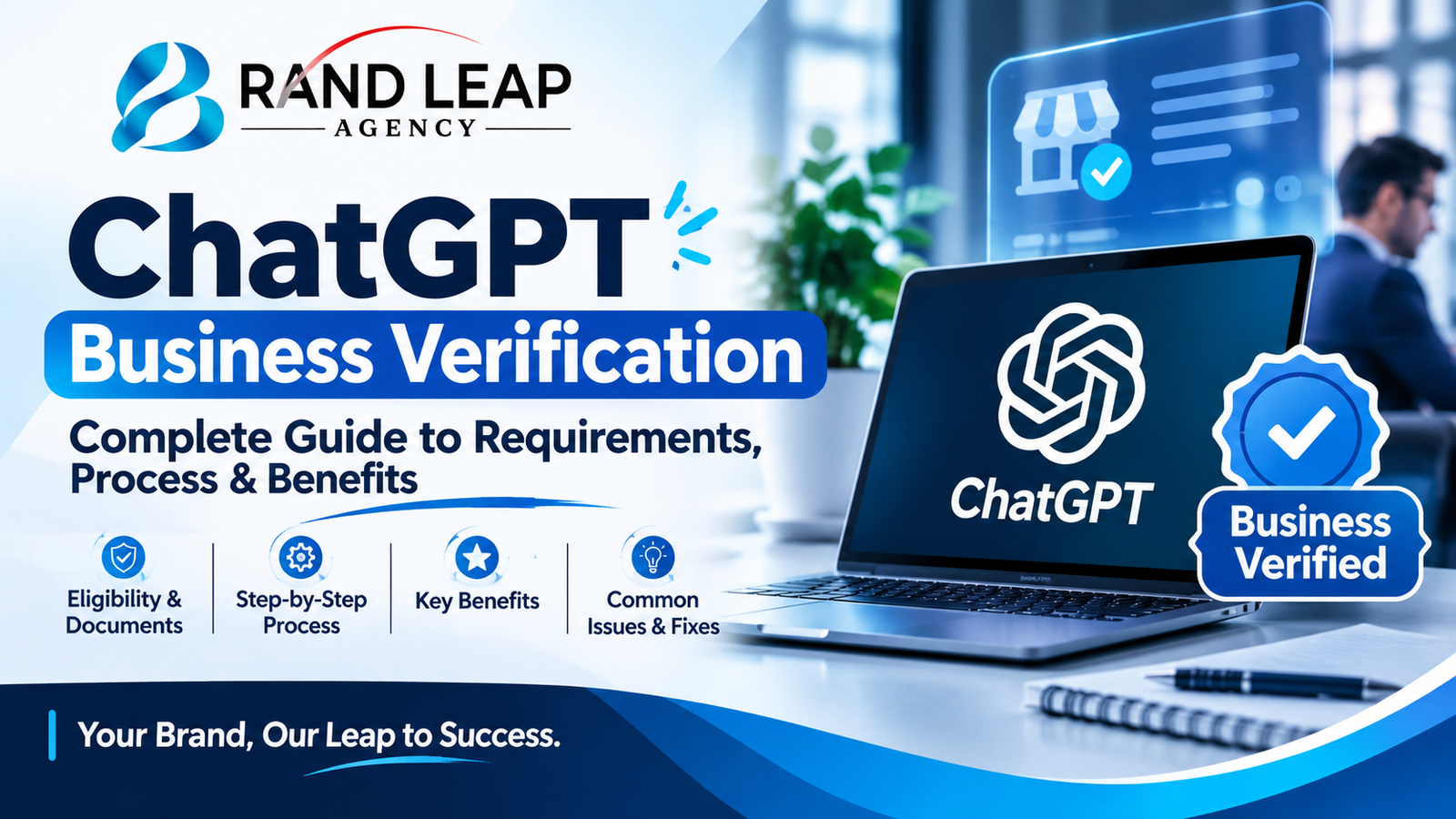
One development worth understanding is ChatGPT Business Verification. OpenAI provides business-related verification experiences that allow eligible organizations to claim and manage their business information through its Business Hub. Depending on the product and verification process, organizations may also encounter separate OpenAI API organization verification requirements.
But what exactly is ChatGPT Business Verification? Who can apply? What documents are required? How does the verification process work, and what should businesses do if their applications are rejected?
This comprehensive guide from Brandleap Agency explains everything businesses need to know about ChatGPT Business Verification, including eligibility, application steps, common challenges, and its potential role in modern digital marketing.
What Is ChatGPT Business Verification?
ChatGPT Business Verification refers to the process of confirming a business’s identity, ownership, or authorized representation through OpenAI’s supported business verification systems.
OpenAI’s Business Hub allows eligible businesses to claim their business profiles, provide relevant company information, and manage certain business-related features.
The purpose of this process is to establish that the person managing a business profile has the authority to represent the organization.
Depending on the available verification flow, businesses may be asked to confirm their relationship with the company through methods such as:
- Business email verification
- Business phone verification
- Website domain verification
- Shopify-based verification, where supported
- Identity verification through Persona
- Official business documentation, where requested
It is important to understand that claiming a business and completing identity verification are not necessarily the same thing. A business may claim an eligible listing using an available method, but additional identity verification may be required before certain management features become available.
Similarly, OpenAI API organization verification is a separate process with its own eligibility and documentation requirements.
Why Is ChatGPT Business Verification Important?
Businesses are no longer competing only for visibility on traditional search engines. Customers increasingly use AI-powered tools to discover brands, research services, compare products, and find answers to commercial questions.
ChatGPT is one of the platforms participating in this changing discovery environment.
Business verification can help eligible organizations establish control over their business information within supported OpenAI experiences.
Here are some important reasons why businesses should understand this process.
1. Establish Business Ownership and Authenticity
Online business information can sometimes be outdated, incomplete, or inconsistent.
Verification helps OpenAI establish whether someone claiming or managing a business is authorized to represent it.
This is particularly relevant for companies that have multiple locations, different representatives, or several people responsible for their digital presence.
2. Manage Business Information
After successfully claiming a business and completing the required verification steps, eligible businesses can manage supported business information through Business Hub.
Depending on the features available, this may include:
- Business details
- Product information
- Business profile information
- Product feed connections
- Business performance insights
Accurate information helps maintain consistency across supported business experiences.
3. Access Eligible Business Features
Some features require additional verification beyond the initial business claim.
For example, OpenAI requires Persona identity verification before businesses can publish certain profile changes, view business insights, connect product feeds, or create an eligible business agent.
The availability of these features depends on business eligibility and the applicable policies.
4. Improve Business Information Management in AI Environments
AI-powered discovery is becoming an important consideration for digital marketing strategies.
Businesses should make their names, services, product information, contact details, and website content clear and consistent.
Although verification does not guarantee that ChatGPT will recommend a company, maintaining accurate business information can support a more reliable online presence.
Who Can Apply for ChatGPT Business Verification?
Not every individual or organization automatically qualifies for every OpenAI business feature.
Eligibility depends on the specific verification experience, business location, business type, and supported features.
For Business Hub, a person may claim a business if they own it or are authorized to represent it.
Generally, suitable applicants include:
- Business owners
- Company founders
- Authorized directors
- Marketing managers with appropriate authorization
- E-commerce business representatives
- Authorized employees responsible for company profiles
Before applying, businesses should ensure that the person submitting the application has permission to represent the organization.
Business Eligibility Considerations
Several factors may influence whether a business can complete the process:
Business location: Business claiming and verification availability can vary depending on geographical availability and supported business types.
Business ownership: Applicants must have a legitimate relationship with the organization.
Business information: The submitted information should accurately represent the company.
Website ownership: Website domain verification may be available as one of the supported verification methods.
Business category: Certain advanced features may only be available to specific business categories.
For example, OpenAI’s business agent functionality has separate requirements for eligible US-based e-commerce and online service businesses. Completing business verification alone does not automatically qualify every company for this feature.
Documents Required for ChatGPT Business Verification
One of the most common questions businesses ask is what documents they need to complete ChatGPT Business Verification.
The exact requirements depend on the verification method and the specific OpenAI product.
For Persona identity verification, applicants may need to provide government-issued identification. Additional business documentation may also be requested.
Here are some documents and details worth preparing.
1. Government-Issued Identification
If the verification process requires identity verification, the authorized representative may need a valid government-issued identity document.
The document should be current, readable, and consistent with the information provided during verification.
2. Business Registration Documents
Depending on the verification request, official business records may help establish the organization’s legal identity.
Examples include
- Business registration certificates
- Company incorporation documents
- Trade licenses
- Official company records
Not every applicant will need to submit all these documents.
3. Business Email Address
A professional email address connected to the company’s domain can help establish a relationship with the business.
For example:
The exact verification options depend on what OpenAI offers for the specific business listing.
4. Official Website and Domain Information
A company’s official website can help demonstrate its online presence.
Before applying, make sure the website contains accurate information, including:
- Business name
- Services or products
- Contact information
- About Us page
- Company details
Businesses should also ensure that they have the necessary access to manage their website domain if domain verification is offered.
5. Business Address and Contact Details
Some verification experiences may request additional business information.
Prepare accurate details such as:
- Registered or operating address
- Business phone number
- Official email address
- Company registration information, if requested
For API organization verification, OpenAI may also request a tax identifier or equivalent official identifier.
The most important rule is to provide accurate information that matches official business records.
How to Complete ChatGPT Business Verification: Step-by-Step Guide
If your business is eligible, you can follow the relevant Business Hub process to claim your company and complete the required verification.
Here is a practical walkthrough.
Step 1: Sign In to ChatGPT
Start by visiting the official ChatGPT website:
Sign in using the account you intend to use to manage your business.
Ideally, use an account associated with an authorized business representative.
Step 2: Open Business Hub
After signing in, navigate to Business Hub from the ChatGPT sidebar.
Business Hub provides access to supported business management features.
Search for your company using its official business name.
Step 3: Find and Select Your Business
Check whether your company already has a listing.
If you find the correct business, select it and confirm that the information matches your organization.
If your business does not appear, check whether the option to add a business is available for your location and business type.
Avoid claiming another organization’s listing.
Step 4: Choose an Available Verification Method
OpenAI may offer different verification methods depending on your business.
These may include:
- Phone verification
- Business email verification
- Website domain verification
- Shopify verification, where supported
Choose an available method and follow the instructions.
For example, if website domain verification is offered, make sure you have the required access to the domain.
Step 5: Complete Identity Verification With Persona
Claiming a business does not necessarily complete the entire verification process.
OpenAI requires additional identity verification through Persona before certain business management features can be accessed.
If prompted, select Verify with Persona and continue.
Follow the instructions provided by Persona and submit the requested identity information.
Make sure your information is accurate and readable.
Step 6: Submit the Required Information
Review all submitted details before completing the process.
Check:
- Your legal business name
- Your business address
- Your contact details
- Your identity information
- Your business registration details, if requested
Inconsistent information may create problems during verification.
Step 7: Wait for Verification Approval
After submission, OpenAI reviews the information.
You may receive an email confirming the decision or requesting additional information.
Review times can vary, so avoid repeatedly submitting applications while an existing submission is under review.
Once approved, you can access the business features for which your organization is eligible.
Official resource: Read OpenAI’s Setting up your business on ChatGPT guide for the latest instructions.
ChatGPT Business Verification vs. OpenAI API Organization Verification
Another important distinction is the difference between ChatGPT Business Hub verification and OpenAI API organization verification.
These terms are sometimes used interchangeably, but they refer to different processes.
ChatGPT Business Hub Verification
This process is designed for eligible businesses that want to claim and manage their business information within ChatGPT’s Business Hub.
It may involve:
- Claiming an existing business
- Verifying the relationship with the company
- Completing Persona identity verification
- Managing supported business information
OpenAI API Organization Verification
API organization verification is a separate process associated with access to certain OpenAI products, features, models, or programs.
Depending on the request, businesses may need to provide:
- Legal organization name
- Registered or operating address
- Business registration number
- Tax identification information, if requested
- Official business documents
- Proof that the applicant is authorized to represent the organization
A company should identify which verification process it actually needs before preparing its application.
Common ChatGPT Business Verification Problems and How to Fix Them
Even when businesses provide accurate information, they may encounter verification difficulties.
Understanding common problems can help applicants avoid unnecessary delays.
1. Business Information Does Not Match
One of the most common problems is inconsistent information.
For example, the company name on the application may differ from the name on official registration documents.
How to fix it:
Use the exact legal business name where requested. Check the business address and other official details before submitting your application.
2. Identity Verification Failure
Identity verification may fail if the submitted document is unclear, expired, or does not meet the verification provider’s requirements.
How to fix it:
Use a valid identity document, follow the image-capture instructions, and make sure all requested information is readable.
If Persona provides a retry option, follow the instructions in its notification.
3. Business Email Verification Issues
Some applicants may experience problems receiving verification emails.
How to fix it:
Check your spam folder, confirm that the email address is correct, and ensure that your business email account can receive external messages.
Use only the verification methods presented in your Business Hub account.
4. Website Domain Verification Problems
If domain verification is offered but fails, the issue may be related to domain access or incorrect configuration.
How to fix it:
Check the instructions provided by OpenAI and confirm that you control the relevant domain.
Do not use a domain that belongs to another company.
5. Verification Is Still Pending
Sometimes applicants submit the required information but do not receive an immediate decision.
How to fix it:
Wait for OpenAI’s review and monitor your registered email address.
Avoid submitting duplicate applications while your existing submission is being reviewed.
6. Business Verification Was Rejected
A rejection may occur if the submitted information cannot be confirmed or does not satisfy the applicable requirements.
How to fix it:
Read the rejection notification carefully. Correct any information identified as inaccurate or incomplete.
If a retry option is available, follow the instructions. Otherwise, contact OpenAI Support with the relevant error details.
Never submit false documents or attempt to bypass verification requirements.
Does ChatGPT Business Verification Give Your Business a Verified Badge?
This is an important question.
Claiming a business in Business Hub does not automatically give the business a verified badge.
According to OpenAI’s guidance, the blue verified check appears after the required Persona identity verification has been approved.
Therefore, businesses should distinguish between:
- Claiming a business listing
- Completing identity verification
- Receiving the verified badge
- Becoming eligible for additional business features
These are related but distinct steps.
A business should not assume that completing one step automatically completes all the others.
Does ChatGPT Business Verification Help Your Business Rank or Get Recommended?
This is one of the most interesting questions for marketers and business owners.
The short answer is that ChatGPT Business Verification does not guarantee higher rankings, more recommendations, or increased website traffic.
Claiming a business allows eligible organizations to manage their information within the supported Business Hub experience.
However, ChatGPT’s independent recommendations are not controlled by a business claiming its profile.
This means businesses should not treat verification as a shortcut to AI visibility.
Instead, they should focus on building a strong digital presence.
1. Publish Helpful and Relevant Website Content
Your website should clearly explain what your company does, whom it serves, and what makes its products or services valuable.
Create informative pages that answer the questions your potential customers actually ask.
2. Maintain Consistent Brand Information
Use consistent company information across your website, business directories, social media profiles, and other relevant online platforms.
Important details include:
- Business name
- Website URL
- Contact information
- Product and service descriptions
- Business location
3. Strengthen Technical SEO
Your website should be accessible, crawlable, mobile-friendly, and technically sound.
Focus on:
- Website speed
- Mobile usability
- Logical website structure
- XML sitemap
- Internal linking
- Indexability
- Structured data where appropriate
4. Invest in Answer Engine Optimization
Answer Engine Optimization (AEO) focuses on making website content clear, useful, and accessible to answer engines.
Businesses can improve their content by:
- Answering specific customer questions
- Using descriptive headings
- Providing clear definitions
- Supporting claims with credible sources
- Organizing information logically
- Creating relevant FAQ sections
5. Build Brand Authority
Publish original insights, useful resources, and expert content.
Earn relevant mentions from trustworthy publications and industry websites.
A strong brand presence across credible sources can help search engines and AI systems understand your organization more accurately.
For a deeper look at this approach, explore Brandleap Agency’s AI SEO Services.
How Brandleap Agency Can Help Businesses Improve AI Search Visibility
Getting verified is only one part of building a professional online presence.
Businesses also need a strong digital strategy to ensure that search engines and AI-powered platforms can understand their brand, services, products, and expertise.
At Brandleap Agency, we focus on data-driven SEO and digital marketing strategies designed to help businesses improve their online visibility and attract relevant customers.
Our services can support businesses looking to strengthen their presence across traditional search engines and emerging AI-powered discovery platforms.
SEO Strategy and Optimization
We help businesses improve their website structure, keyword targeting, technical performance, and organic search visibility.
Explore our SEO and Digital Marketing Services.
AI SEO, AEO, and GEO
We work on content optimization, brand entity development, technical accessibility, and AI search visibility opportunities.
These strategies help create a stronger foundation for how search engines and AI platforms understand a business.
Learn more about our AI SEO Services.
Content Marketing
Useful content plays an important role in building topical authority.
Our content strategies focus on relevant search intent, keyword research, clear information architecture, and valuable resources for potential customers.
Technical SEO
Technical SEO helps search engines discover, crawl, and understand your website.
We identify technical opportunities involving indexing, website architecture, page performance, and internal linking.
Whether you are an established organization or a growing startup, Brandleap Agency can help you develop a digital marketing strategy aligned with your business goals.
Best Practices Before Applying for ChatGPT Business Verification
Before starting your application, review the following checklist.
- Confirm that your business is eligible for the relevant feature.
- Make sure you are authorized to represent the company.
- Use accurate legal business information.
- Check that your website and contact information are up to date.
- Prepare valid identification if Persona verification is required.
- Gather official business documents if requested.
- Use the verification method available in Business Hub.
- Review every submitted detail before finalizing.
- Monitor your email for updates from OpenAI.
- Follow official instructions if additional information is requested.
Following these steps can help you prepare a more accurate application.
Frequently Asked Questions About ChatGPT Business Verification
1. What is ChatGPT Business Verification?
ChatGPT Business Verification is a process through which eligible organizations establish their business identity or authorization to manage business information through OpenAI’s supported business experiences.
2. How do I verify my business on ChatGPT?
Sign in to ChatGPT, open Business Hub, search for your business, select the correct listing, and use one of the available verification methods. Complete Persona identity verification if required.
3. Is ChatGPT Business Verification free?
The availability of business claiming and verification should not be confused with a paid ChatGPT subscription. OpenAI’s Business Hub documentation does not establish a universal verification fee. Check the current instructions for your specific feature.
4. What documents are required for ChatGPT Business Verification?
Requirements vary. Depending on the verification process, you may need government-issued identification, business registration details, official company information, or evidence that you are authorized to represent the business.
5. How long does ChatGPT Business Verification take?
OpenAI does not provide one universal approval timeline for every verification type. Review times can vary depending on the submission and the verification process.
6. Can I verify my business without a website?
Eligibility and available verification methods vary. Some businesses may have access to phone, business email, or other verification methods. A website is not universally required for every Business Hub claim.
7. Does business verification guarantee a blue checkmark?
No. Claiming a business does not automatically provide a verified badge. The blue check appears after the required Persona verification is approved.
8. Can a marketing agency verify a client’s business?
A marketing agency may be able to assist with preparation and management if it has the necessary authorization. However, it must not claim a business without permission or misrepresent its relationship with the organization.
9. Does ChatGPT Business Verification improve SEO rankings?
No. Verification does not guarantee improved Google rankings or higher placement in ChatGPT responses. SEO, useful content, brand authority, and technical website quality remain important.
10. Is OpenAI API organization verification the same as ChatGPT Business Verification?
No. Business Hub verification and API organization verification are separate processes with different purposes and requirements.
11. Can I complete Persona verification later?
Yes. OpenAI’s instructions allow businesses that initially used another verification method to complete Persona verification later through their business profile, where that option is available.
12. What should I do if my verification fails?
Review the notification, correct any inaccurate or incomplete information, and use the available retry option. If you cannot retry or need further assistance, contact OpenAI Support.
Final Thoughts
ChatGPT Business Verification is an important development for organizations that want to manage their business information through OpenAI’s supported business experiences.
However, businesses should understand that verification, business profile management, and AI search visibility are three different concepts.
Completing verification can establish your authority to manage eligible business information, but it does not guarantee recommendations, rankings, or increased customer acquisition.
For sustainable digital growth, businesses should combine accurate business information with strong SEO foundations, helpful content, brand authority, and Answer Engine Optimization.
If you want to improve your business’s visibility across Google and AI-powered search platforms, Brandleap Agency can help you build a practical strategy.
Visit Brandleap Agency to explore our digital marketing and AI SEO services and take the next step toward stronger online visibility.
Your Brand, Our Leap to Success.