Developers and marketing teams building monitoring pipelines or BI dashboards run into the same wall early in the process: “website performance ranking data” sounds like one thing, but it actually refers to two completely different data streams. Picking the wrong API type costs weeks of integration work and produces a dashboard that answers the wrong question entirely. Getting this split right before you choose the best API to get website performance ranking data saves weeks of rework. At Brandleap Agency, our team works across both data categories daily to build unified client dashboards, so this guide reflects real integration decisions, not just spec comparisons.
This article draws a hard line between performance-score APIs and rank-tracking APIs, compares the leading options in each category with specific endpoint details, breaks down real pricing, and gives you a practical framework for choosing the right combination for your specific use case, whether that’s monitoring, reporting, or BI ingestion.
The two types of APIs developers confuse most
Conflating performance-score APIs and rank-tracking APIs produces misbuilt pipelines that are frustrating to untangle. These two categories measure entirely different things, use different data sources, and serve different stakeholders. Knowing which one you need before you write a single line of integration code saves significant rework later.
What performance-score APIs actually measure
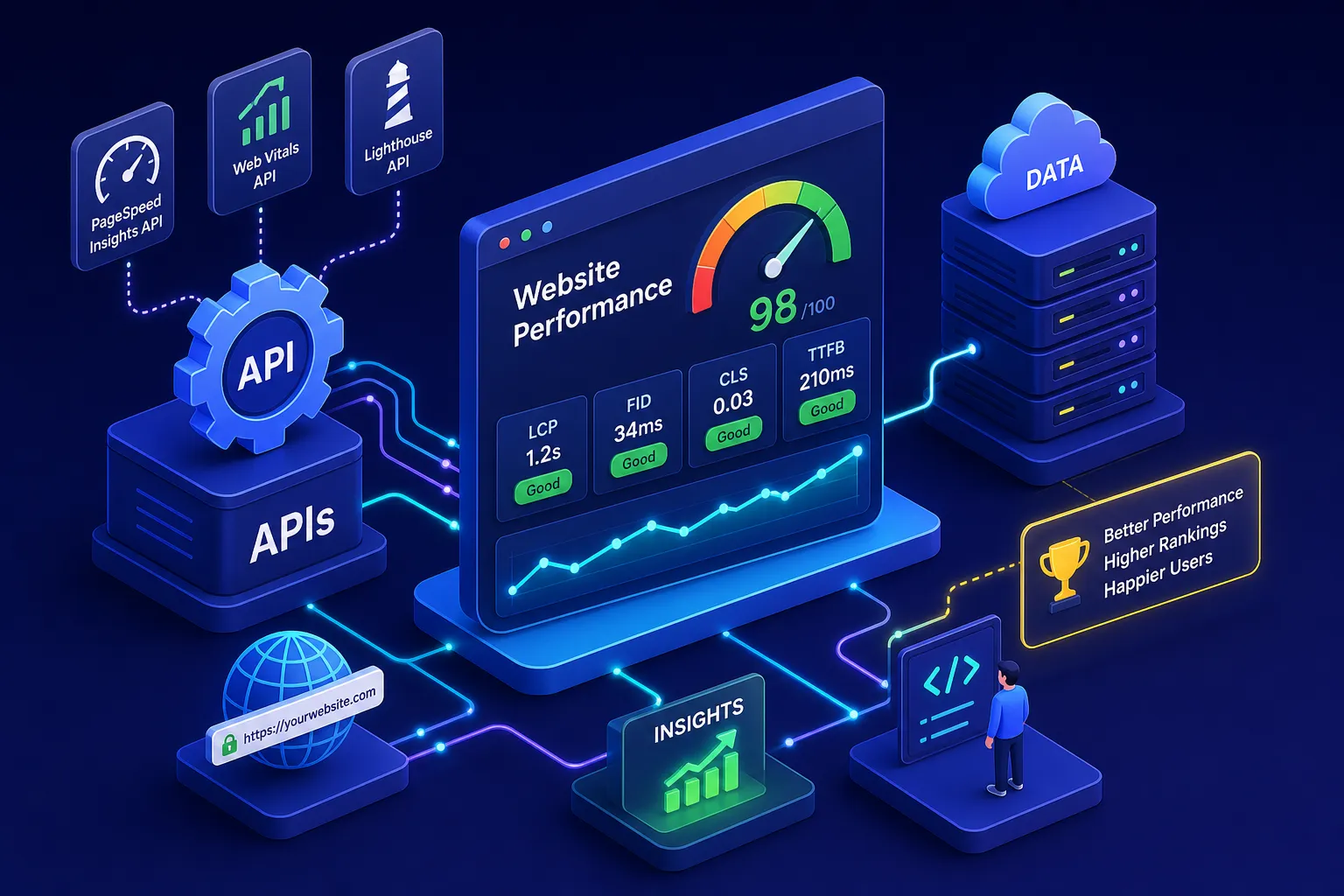
Performance-score APIs return metrics about how fast your pages load and how they score against technical benchmarks. The Google PageSpeed Insights API, for example, returns Lighthouse scores alongside Core Web Vitals metrics including LCP (Largest Contentful Paint), FCP (First Contentful Paint), CLS (Cumulative Layout Shift), TTFB (Time to First Byte), and INP (Interaction to Next Paint). One critical distinction within this category is lab data versus field data: lab data simulates a page load under controlled conditions, while field data comes from real Chrome users via the Chrome UX Report (CrUX). Both are valid, but they answer different questions, and the best pipelines use both together.
What rank-tracking APIs actually return
Rank-tracking APIs return SERP position data: which keywords a URL ranks for, at what position, with what search volume and estimated click-through rate. They pull this data from SERP crawlers or third-party index databases, not from Chrome performance measurements. Platforms like SEMrush, Ahrefs, and DataForSEO are built around this data type. A rank-tracking API tells you nothing about page speed, and a performance-score API tells you nothing about where your pages appear in search results. These are parallel data streams, not substitutes for each other.
Best API to Get Website Performance Ranking: Core Web Vitals and Page Speed
The performance-score category has a clear leader in Google’s own toolset. Google offers two free website performance APIs, PageSpeed Insights and CrUX, that cover both lab and field data, and most teams can have both running within a day. Together, they form the strongest no-cost foundation available for any site speed score API setup.
Google PageSpeed Insights API
The PageSpeed Insights API is the go-to starting point for programmatic Core Web Vitals monitoring. The main endpoint is a GET request to https://pagespeedonline.googleapis.com/pagespeedonline/v5/runPagespeed. The url parameter is required; an API key is strongly recommended to manage quotas and enable higher-volume access, per Google’s official runPagespeed documentation. An optional strategy parameter specifies mobile or desktop.
The JSON response splits into two key sections: lighthouseResult for lab-based Lighthouse scores and audit data, and loadingExperience for field data pulled from CrUX, covering real-user LCP, FCP, CLS, INP, and TTFB distributions. Access is governed by Google Cloud API quotas; third-party guides commonly cite roughly 25,000 requests per day, but you should verify your actual limit in your Google Cloud project settings. No paid tier exists, so rate management is the only practical constraint.
Chrome UX Report (CrUX) API
When you need real-user field data across an entire domain rather than a simulated single-page load, the CrUX API is the better tool. It returns monthly and weekly Core Web Vitals distributions aggregated from real Chrome users, giving you a statistically meaningful view of user experience at scale. Like PageSpeed Insights, it’s free and operates within Google Cloud quota limits. These two APIs work best together in a BI pipeline: CrUX for domain-wide field trends, PageSpeed Insights for page-level lab audits and diagnostic detail. That pairing, CrUX handling population-level distributions, PSI supplying page-by-page diagnostics, is a common pattern in production performance monitoring setups.
Lighthouse CLI and self-hosted alternatives
Lighthouse is not a hosted web API from Google; it’s the open-source CLI tool that PageSpeed Insights uses under the hood. Teams that need lab testing at scale without hitting API rate limits often run Lighthouse programmatically in their own infrastructure. The tradeoff is real: self-hosted gives you zero rate limits and full control over testing conditions, but you absorb the infrastructure cost and maintenance overhead. For most monitoring pipelines, the free PSI API is the faster path. Self-hosted Lighthouse makes sense when you’re running thousands of audits daily on a schedule you control.
Best API to Get Website Performance Ranking: SERP and Keyword Position Tracking
The rank-tracking category has more vendors and a wider pricing range than the performance-score side. What drives that spread is the underlying data acquisition cost: crawling live SERPs at scale requires proxy infrastructure, rotating IPs, and ongoing index maintenance, all of which get passed through to pricing. The right choice depends on whether you need first-party data, competitive keyword intelligence, or high-volume SERP retrieval you can schedule yourself.
Google Search Console API: first-party data at no cost
The Search Console API is the most accurate source of rank data for your own domain because it comes directly from Google’s index. It returns actual impressions, clicks, CTR, and average position for verified properties, with up to 16 months of historical data accessible via API. Authentication is OAuth-based, and the API is free for verified property owners. The core limitation is worth stating plainly: GSC only works for properties you own. No competitor data, no third-party domains. For teams that only need to track their own performance, this is the first tool to integrate before paying for anything else.
DataForSEO: usage-based SERP retrieval
DataForSEO offers the most flexible cost structure for developers building custom pipelines. It supports live SERP requests (returning real-time results in approximately six seconds on average) and queue-based requests (roughly five minutes average, at lower cost). The API returns SERP positions, featured snippet data, and rich SERP feature information on demand. Because there’s no scheduled refresh interval baked in, your polling schedule determines how fresh the data stays. That control over polling frequency translates directly into cost control. Standard queue mode runs around $0.60 per 1,000 requests, priority mode around $1.20, and live mode around $2.00. For high-volume custom pipelines, this usage-based model scales more predictably than subscriptions.
SEMrush and Ahrefs: subscription-based with competitive context
Both platforms serve a similar role for teams that need their own rank data plus competitive keyword intelligence in a single pipeline. SEMrush API access is enabled at the Business plan level ($499.95/month); consult SEMrush’s current API documentation for specifics on whether request units are bundled into the plan or purchased separately, as plan details can change. Ahrefs updates rank tracking weekly by default, with daily updates available via a Project Boost add-on, and its API is usage-based. Both return position history, keyword difficulty, and competitor ranking data suitable for ML and reporting pipelines. If your team already uses either platform’s UI tools, the API access is a natural extension rather than a separate line item. Neither replaces Google Search Console for first-party accuracy, but both add the competitive layer that GSC can’t provide.
Moz API: link authority as a supplementary signal
Moz occupies a narrower niche in this stack. Its URL Metrics endpoint returns Domain Authority, Page Authority, Spam Score, and link counts for batches of up to 50 URLs at a time, with monthly and daily metric history available for time-series storage. This makes it useful as a supplementary signal feeding BI models that correlate authority trends with rank movement. Moz is less focused on live SERP position queries and stronger for link-based metrics, so it works best as a supporting data source rather than a primary rank-tracking API.
Pricing breakdown: what you actually pay per 1,000 requests
Building a cost model before integration work saves painful surprises at invoice time. The pricing across these categories ranges from zero to a few dollars per thousand requests, depending on the data type and delivery mode.
Google’s APIs, PageSpeed Insights, CrUX, and Google Search Console, are free. These three cover Core Web Vitals monitoring and first-party rank data at $0, with rate limits as the only practical constraint. For most single-property monitoring setups, this zero-cost tier handles the core need.
Usage-based SERP APIs like DataForSEO run $0.60 to $2.00 per 1,000 requests depending on the mode. Other proxy-backed website speed ranking API and SERP providers, such as Bright Data, run around $1.50 per 1,000 requests pay-as-you-go, with monthly plans starting around $499 and volume discounts reducing the effective rate. Check each vendor’s current pricing page, as rates vary significantly by plan structure. For teams running tens of thousands of rank checks monthly, usage-based pricing is more predictable than a subscription with included query limits.
Subscription platforms bundle API access into monthly plans ranging from approximately $49 to $275 per month at mid-market tiers, with included request volumes from 1,000 to 30,000 per month. Enterprise plans carry custom pricing and higher limits. The subscription model delivers better value when your team already uses the platform’s broader toolset and needs API access as a secondary workflow rather than the primary use case.
Matching the right API to your pipeline
The technical comparison only gets you halfway there. Translating it into an actual architecture decision requires mapping each use case to the right combination of tools.
For real-time performance monitoring and alerting on Core Web Vitals regressions, the PageSpeed Insights API plus CrUX API covers the core need at no cost. Add scheduled Lighthouse runs for lab regression testing in CI/CD pipelines. If you want to correlate speed changes with position shifts, DataForSEO adds the rank context without requiring a full subscription platform.
For BI and historical data pipelines, the calculus shifts toward platforms with warehousing-friendly export options. Before committing to any provider, answer these questions:
- Does the API support batch requests?
- Can you export to CSV or connect to BigQuery?
- Does it provide geographic or device segmentation?
Google Search Console API provides 16 months of historical click and rank data. DataForSEO queue-based endpoints are designed for high-volume export workflows. SEMrush and Ahrefs both provide historical rank trend data suitable for ML models and executive reporting dashboards.
For agency reporting across multiple client domains, the integration complexity compounds fast. Managing API credentials, rate limits, and data normalization across dozens of properties, where each API returns different field names and formats, quickly becomes a dedicated engineering effort. This is the crossover point where a managed solution starts to outperform DIY integration on both time and cost.
When a managed dashboard beats the DIY API route
Building a production-grade performance and ranking dashboard from raw API connections means handling authentication for multiple providers, implementing rate limit retries, normalizing inconsistent data schemas, scheduling refresh jobs, and maintaining data storage. For a single-domain use case, an experienced engineer can often complete the initial setup in a weekend. For an agency or marketing team tracking 20 or more properties, that engineering overhead compounds into a part-time role.
At Brandleap Agency, we build custom performance dashboards that pull from the same data sources covered in this guide, including PageSpeed Insights, CrUX, Google Search Console, DataForSEO, and third-party rank-tracking providers depending on each client’s competitive monitoring needs. Our team handles API integration, data normalization, and refresh scheduling so clients receive clean, actionable data without managing a single endpoint. For businesses that want the insights these APIs produce without the DIY overhead, working with a team that has already solved the integration layer is often the faster and more cost-effective path than building from scratch internally.
Choosing the best API to get website performance ranking data for your team
Performance-score APIs and rank-tracking APIs solve different problems, and the best setup for most teams combines one from each category. To pick the best API to get website performance ranking data, start by clarifying which layer you actually need. For Core Web Vitals monitoring, the PageSpeed Insights API and CrUX are the obvious starting point at zero cost. For rank data, the right choice depends on whether you need first-party accuracy (Google Search Console API), competitive keyword context (SEMrush or Ahrefs), or volume-based SERP retrieval on your own schedule (DataForSEO). Pricing scales from free to roughly $2.00 per thousand requests depending on data type and delivery mode.
Performance signals are now a confirmed ranking input, and having reliable programmatic access to both data streams is no longer optional for teams serious about measurable growth. The APIs exist, the pricing is reasonable, and the integration patterns are well-documented. The only real question is whether building and maintaining that infrastructure is the best use of your team’s time, or whether a partner who already has these systems operational is the smarter starting point. If that question resonates, Brandleap Agency is worth a conversation.