When someone searches for a local business near them, Google Business Profile optimization determines whether your listing shows up, or your competitor’s does. Local pack results capture a significant share of clicks on any search results page, and if your Google Business Profile is sitting there half-finished or last updated two years ago, you’re not just missing clicks; you’re actively sending them to a competitor who took the time to optimize. Most business owners either set up their profile once and walk away, or they focus on the wrong things first and wonder why nothing moves.
This guide is a prioritized, step-by-step Google Business Profile optimization checklist built around how Google actually ranks local results in 2026. It covers six core areas that move the needle: profile foundation, photos, reviews, posts, Q&A, and performance tracking. Follow this sequence and you’ll know exactly what to fix, in what order, before touching anything else.
If you want to go beyond the basics and build a full local SEO strategy around your profile, the team at Brandleap Agency works with small businesses daily on exactly this kind of work. For now, let’s get your profile doing its job.
1. GBP optimization: Build the right foundation with categories, description, and services
Your profile fields are the relevance engine of the entire listing. Every field you fill in sends a signal to Google about what your business is, where it operates, and who it serves. A mismatch between your primary category and what Google expects for your market can significantly drop your rankings overnight, and it can happen faster than most business owners expect, which makes this the highest-priority step before anything else.
Picking the right primary category
The primary category is the single strongest relevance signal in Google’s local algorithm. Don’t guess at it. Look at the top three to five competitors ranking for your target keyword and note which primary category they use. That’s your benchmark. Secondary categories (up to nine) should reflect real services your business offers, not a list of keywords you want to rank for.
Writing a description that earns relevance
Your description has a 750-character limit, but only the first 250 characters show before the “More” truncation. Front-load your location, primary category, and key differentiator in that first sentence. Google’s guidelines are clear on what to avoid: no URLs, no promotional offers, no keyword cramming, no ALL CAPS. Use the remaining characters to describe your services and what makes your business worth choosing.
Services, attributes, and NAP consistency
Every service you list is a separate relevance input. Add every service your business offers with a short, human-readable description, and select only verified attributes from Google’s predefined list. Inventing custom attributes is not allowed and can trigger a review of your listing. Keep your business name exactly as it appears on physical signage and your website. Inconsistencies between your profile name and your legal or DBA name are one of the fastest routes to a suspension.
2. Photos and visual content that drive clicks and direction requests
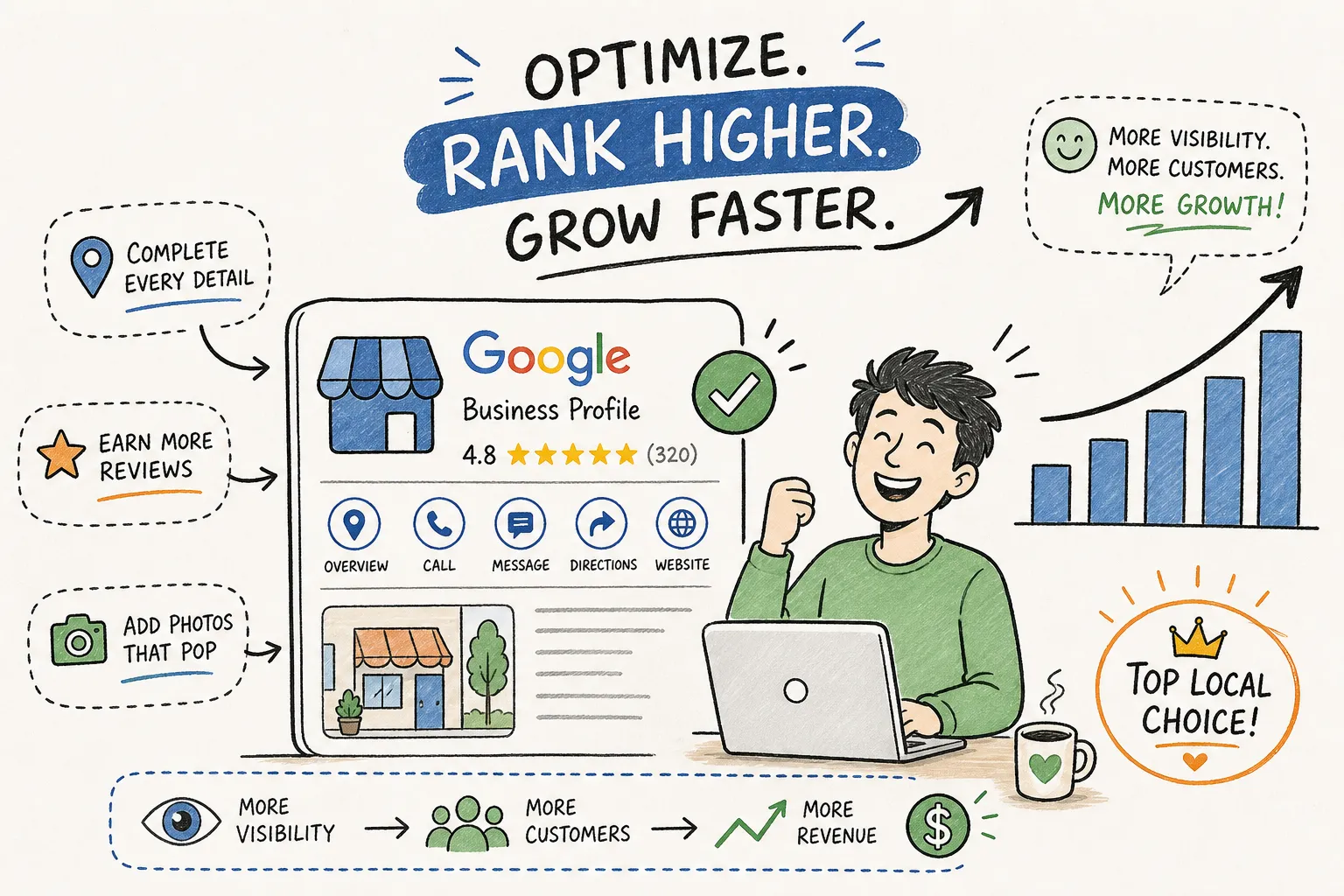
According to Google’s own research, profiles with photos earn 42% more direction requests and 35% more website clicks than those without. Photos are primarily a conversion signal rather than a direct ranking signal, so the goal is straightforward: give searchers enough visual confidence to choose your business over the listing next to yours. A bare or low-quality photo section communicates neglect, regardless of how well everything else is optimized.
Which photo types drive the most engagement
Prioritize these types in order: exterior shots so customers can recognize the location on arrival, interior shots to establish trust and atmosphere, team photos to show the people behind the business, and product or service-in-action photos to reinforce relevance. Owner-uploaded photos and customer-contributed photos serve different purposes. Uploading your own high-quality images increases the likelihood that your preferred visuals appear prominently, giving you meaningful control over the first impression searchers form before they ever visit your location.
Technical specs to get right the first time
For photos, aim for at least 1080px on the longest side, with a 4:5 or standard landscape ratio depending on placement. Stick to JPG or PNG format. Low-quality or heavily filtered images can suppress profile appeal even if they technically meet minimum requirements. For video, use MP4 format and shoot in at least 720p, refer to Google’s current help documentation for the latest file size and duration limits, as these can change. Shoot in good lighting and keep footage steady; shaky clips filmed in a dim space work against you regardless of resolution.
3. Review signals: the levers that control local prominence
The Prominence pillar of Google’s ranking model is heavily influenced by reviews. They’re not just social proof for customers; they’re an active ranking input that Google reads for volume, recency, sentiment, and engagement. Getting this right requires a system, not a one-time push.
Why the 10-review threshold changes everything
Crossing from 9 to 10 reviews triggers a measurable trust signal in Google’s local algorithm. Industry data from sources like BrightLocal consistently shows that businesses with 100 or more reviews significantly outrank those with fewer than 20, with some analyses putting that advantage at 2.5 times or higher in local pack placements. The first target is 10 reviews. After that, the goal is a consistent, ongoing flow rather than a single spike followed by silence.
Recency is not optional
Recent reviews carry substantially more weight than older ones, research from local SEO analysts suggests the gap can be dramatic, with the newest reviews influencing rankings far more than those from several months prior. A profile where reviews stopped 90 days ago reads as stale to the algorithm, regardless of the total review count. Build a simple system: ask every satisfied customer, rotate the request across Google and industry-relevant platforms, and never batch-request reviews. Google flags sudden spikes in review volume as suspicious, and that flag can suppress your profile visibility.
How responding to reviews lifts both rankings and CTR
Google has indicated in its support documentation that responding to reviews can improve local rankings. Research also shows that businesses responding to every review tend to see meaningfully higher click-through rates, and that review response rates correlate with improved conversion performance. The framework is simple: acknowledge the specific feedback, personalize using the reviewer’s name or a detail from their experience, and mention the service they used or the location naturally. Keep responses concise and genuine. A three-sentence response is better than a generic paragraph.
4. Google Posts: what to publish and how often
An active profile tells Google the business is operating, relevant, and worth surfacing. Standard GBP posts expire after seven days, which means consistency is the only viable strategy. Posting once and going quiet for three weeks signals the same neglect as an empty photo section.
Frequency, timing, and post type mix
One post per week is the minimum to maintain an “active” signal. Two to three per week is optimal for service businesses with regular content to share. Each post type serves a different goal: Updates build brand awareness, Offers drive the highest click-through rates, and Events promote time-specific activities. A practical content calendar for a service business: publish an Update on Tuesday to highlight a completed project or useful tip, then publish an Offer on Friday to capture weekend planners.
CTAs and image specs that convert
Every post needs a call to action that maps directly to a business goal. “Call Now” works for service businesses that need immediate contact. “Book” fits appointment-based businesses. “Order Online” suits e-commerce. Mix these based on what you’re promoting rather than defaulting to the same button every week.
For images, use 1200 x 900px at a 4:3 ratio in JPG or PNG. Write your post with the key message in the first 100 characters, because that’s all mobile users see before the “More” truncation. Keep the full post under 300 characters for readability.
5. The Q&A section: a ranking asset most businesses ignore
The Q&A section is publicly editable. Anyone can post a question on your profile, and anyone, including competitors or uninformed users, can answer it. Most business owners don’t discover this until a wrong answer has been sitting on their profile for months, steering potential customers away.
How to seed your own Q&A with the right questions
Identify the five to ten questions customers ask most often. Check your email inbox, call logs, and front desk notes. Post those questions yourself using a personal Google account, then answer them from the business account. This approach is fully within Google’s guidelines and ensures accurate information appears at the top of the section before anyone else can fill the gap with guesswork.
Why unanswered questions cost you customers
An unanswered question signals neglect to anyone reading your profile. It also invites crowd-sourced answers that may be factually wrong or misleading. Set a weekly reminder to review the Q&A section, just as you would the review inbox. Acknowledge each question, provide a clear and accurate answer, and treat every response as a chance to reinforce what your business does and why it’s the right choice.
6. Google Business Profile optimization: tracking results and measuring progress
Without measurement, optimization is guesswork. GBP Insights provides native data on search queries, profile views, and customer actions including calls, direction requests, and website clicks. Checking these numbers tells you whether your changes are working or whether something needs to be adjusted.
Reading GBP Insights without overthinking it
Focus on four metrics: search impressions (are more people finding the profile?), direction requests (are people planning to visit?), phone calls (is the profile converting?), and website clicks (are they exploring further?). Track these weekly and compare week-over-week, not day-to-day. Day-to-day fluctuations are noisy. Weekly trends reveal the actual trajectory.
Using UTM parameters to close the reporting loop
GBP does not automatically tell Google Analytics where traffic originated. Add UTM parameters to every website link on the profile: the main URL, post CTAs, and service page links. Use a consistent naming convention across all GBP links, for example, source: google, medium: organic, campaign: gbp-profile. This connects local search activity to real conversion data inside GA4, so you know whether GBP traffic is actually turning into leads or sales.
Optimize your Google listing once and you’ll see some improvement. Maintain it consistently, weekly, and you’ll compound those gains into durable visibility. The profiles that consistently dominate the local pack are managed on an ongoing basis, not set up once and left alone.
Start with the audit, then build from there
The six areas covered in this Google Business Profile optimization guide, profile foundation, photos, reviews, posts, Q&A, and performance tracking, work together as a system. The sequence matters. Getting the primary category wrong undermines everything else built on top of it, which is why that’s always the first fix, not the last. After the category, confirm your description, services, and NAP are complete and consistent. Then layer in photos, build a review flow, establish a posting rhythm, seed the Q&A section, and connect your tracking.
The checklist tells you what to do. Execution takes time, attention, and consistency, which is where most business owners fall short. Not because they don’t understand the steps, but because local SEO competes with everything else on their plate. If you’re ready to go deeper into local SEO strategy beyond what a self-managed GBP can accomplish alone, Brandleap Agency offers expert local SEO guidance built specifically for small businesses that prioritize measurable ROI over guesswork.
Start your profile audit today. Fix the primary category first, fill every field completely, and build from there. Ready to move faster? Reach out to Brandleap Agency for a free GBP audit and a clear roadmap for what to fix first. Rank improvements in the local pack are rarely instant, but fully optimized, consistently maintained GBP optimization is one of the highest-return investments a local business can make in its online presence.