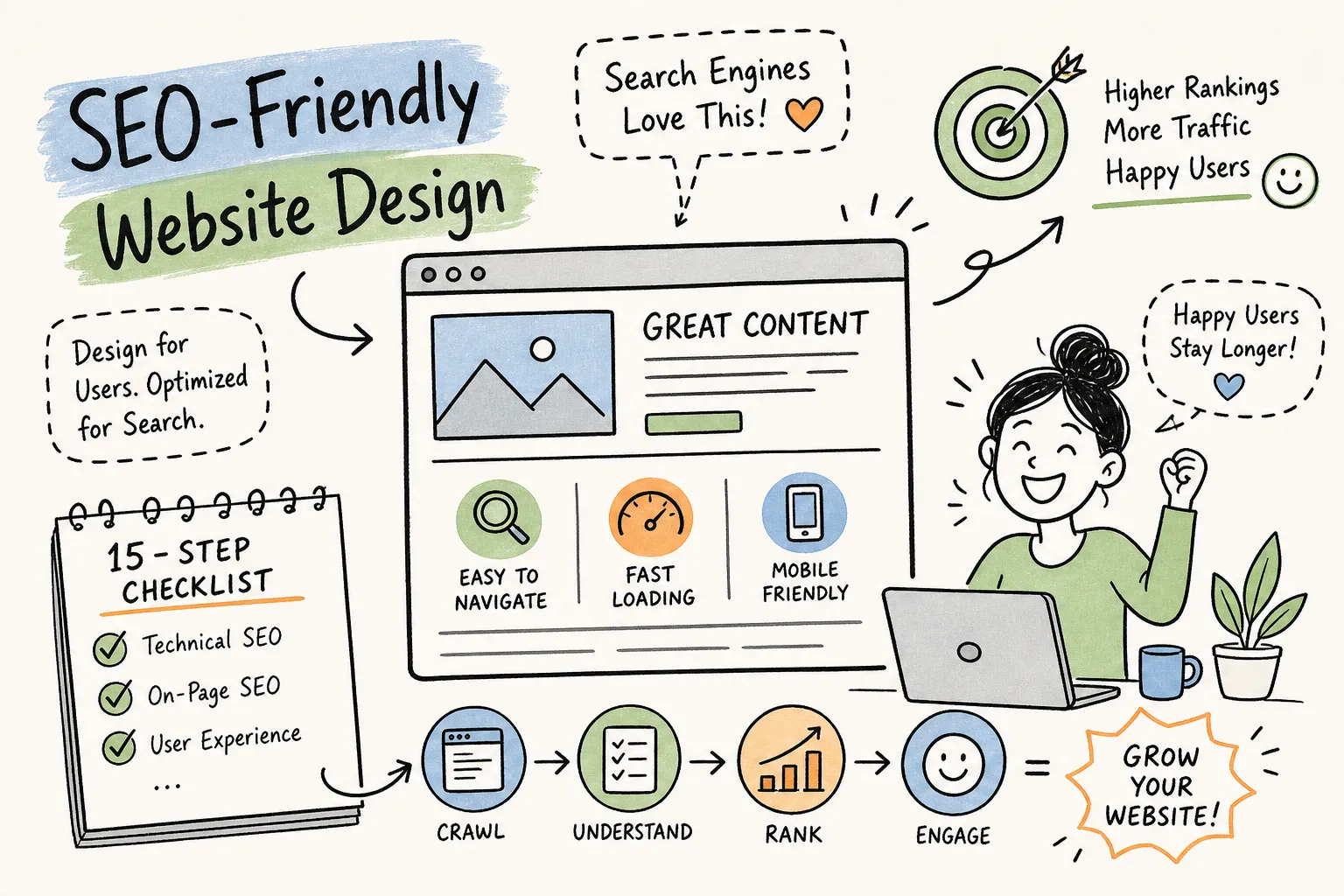
Most business websites look sharp on the surface. Clean fonts, professional photos, a contact form that works. But beneath that polish, a surprising number of sites are quietly failing the technical tests search engines run before deciding where to rank them. SEO-friendly website design isn’t just about aesthetics, it’s about building a site that search engines can crawl, understand, and confidently rank. At Brandleap Agency, we see this gap regularly when running site audits for clients across the US: the design looks great, but crawlability is broken, Core Web Vitals are in the red, and structured data is completely missing.
This checklist is for business owners, founders, and marketing managers who want to audit their own site without hiring a developer for every single fix. It covers 15 concrete steps organized into two categories: what search engines need to crawl your site, and what they need to rank it. Work through these in order and you’ll have a clear picture of where your site stands and exactly what to fix first.
1. SEO-Friendly Website Design, Performance & Core Web Vitals (Steps 1, 3)
Step 1: Hit Google’s 2026 Core Web Vitals targets
Google now treats three performance metrics as equal ranking signals: LCP (Largest Contentful Paint), INP (Interaction to Next Paint), and CLS (Cumulative Layout Shift). The targets you need to clear are LCP under 2.0 seconds, INP under 200ms, and CLS under 0.1. Google tightened the LCP threshold, many 2026 guidance sources, particularly for mobile, treat 2.0s as the new target, so if you were previously in the “good” zone at 2.5s, you may have slipped without realizing it.
Google measures these metrics using real-world field data at the 75th percentile over a rolling 28-day window, not lab simulations. That means at least 75% of your actual visitors need to experience a “good” score for your site to benefit. Check your current numbers with PageSpeed Insights or the Chrome User Experience Report. If your INP is under 150ms, you’re in competitive territory; above 200ms and you’re losing ranking ground. Page speed optimization at this level isn’t optional, it’s a direct ranking input. For a practical take on why Core Web Vitals still matter in 2026, see this summary on Core Web Vitals guidance for 2026.
Step 2: Design for mobile-first indexing
Google indexes the mobile version of your site first. A site that looks flawless on a widescreen monitor but breaks on a 375px phone screen is essentially invisible to Google’s primary crawler. What you need to test goes beyond just “does it display on mobile”: check that font sizes are readable without zooming, tap targets are at least 48×48px, and your viewport meta tag is correctly configured.
Content parity matters just as much as visual layout. If your mobile version hides content in collapsed tabs that don’t render for Googlebot, that content won’t get indexed. Use Google’s Mobile-Friendly Test and inspect the mobile crawl in Google Search Console to catch these gaps before they cost you rankings. For the official guidance on how mobile-first indexing works, consult Google’s mobile-first indexing documentation.
Step 3: Force HTTPS and lock down your security baseline
HTTPS is a confirmed Google ranking signal, and browsers actively warn users when they land on HTTP pages. Browser security warnings can seriously undermine user trust and hurt conversions before a visitor ever reads your headline.
The fix is straightforward: install an SSL certificate (most hosting providers offer free options through Let’s Encrypt), set up a 301 redirect from HTTP to HTTPS, update your internal links, and confirm that your canonical tags reflect the HTTPS version of each URL.
2. Set Up a Site Architecture Search Engines Can Actually Crawl (Steps 4, 6)
Step 4: Choose a flat structure with a logical content hierarchy
Flat site architecture means most pages sit within two or three clicks of your homepage. The logical flow runs from homepage to service or category pages, then to detail or location pages.
This matters because deeply buried content, anything five or six clicks deep, gets crawled less frequently and consumes more crawl budget. For larger sites, crawl budget becomes a real constraint, and a flat structure is how you protect it. A clean hierarchy also makes it far easier to build the kind of internal linking that distributes ranking authority across your domain.
Step 5: Build clean, keyword-rich URLs
Your URL structure signals content relevance to search engines and helps users understand exactly where they are on your site. Keep slugs short and descriptive, use hyphens between words, stick to lowercase, and strip out unnecessary parameters or session IDs. A URL like /services/seo-consulting/ tells Google exactly what the page is about. A URL like /page?id=47 tells it nothing.
URLs that mirror your site hierarchy also reinforce topical relevance. When your URL structure logically nests from general to specific, crawlers can infer content relationships without needing to read a single word of body copy.
Step 6: Configure your XML sitemap and robots.txt file
Your XML sitemap is a direct signal to Google about which pages you want indexed. Include only canonical URLs, exclude paginated duplicates and any noindex pages, and submit it through Google Search Console. Your robots.txt file controls which pages crawlers are blocked from accessing. The most common mistake here is accidentally blocking CSS and JavaScript files that affect how Google renders your pages, which can make a perfectly good site look broken to the crawler.
3. Structure Your On-Page Content So Crawlers Understand Context (Steps 7, 9)
Step 7: Use a clean heading hierarchy (H1, H2, H3)
Each page should have one clearly designated H1 that signals the page’s primary topic. Below that, H2s and H3s should map the topical structure of the page, not just provide visual breaks.
When your headings follow a logical H1 → H2 → H3 nesting, Google can extract structured answers for featured snippet placements at position zero. A page where every section uses an H2 regardless of content depth misses this opportunity entirely. Think of your heading hierarchy as an outline search engines use to understand what your page covers and how deeply it covers it.
Step 8: Build internal links with intention
Contextual internal links within body content pass topical relevance signals between pages. Anchor text like “our SEO consulting process” is far more valuable to a crawler than “click here,” because it tells Google exactly what the destination page covers. When you publish new content, add several relevant internal links to existing pages, and update those older pages to link back where it makes sense. This is how PageRank flows through your site. For a practical discussion of whether your internal linking is helping or hurting topical authority, read this industry perspective on internal linking and topical authority.
Vary your anchor text between exact-match, partial-match, and semantic synonyms. This mimics natural language and avoids over-optimization signals while still reinforcing topical clusters across your site.
Step 9: Add canonical tags to prevent duplicate content
Even if you don’t think you have duplicate content, you probably do. Common sources include HTTPS versus HTTP variants, trailing slash versus no trailing slash, and filtered or sorted URL variants on product pages. The self-referencing canonical tag is the instruction Google uses to determine which version of a page to index and which one receives ranking authority. Add it to every page, even when you believe only one version exists.
4. Optimize Images and Media So They Load Fast and Stay Indexed (Steps 10, 11)
Step 10: Choose the right image formats and compress properly
The 2026 image format hierarchy starts with AVIF as the primary choice, offering 20 to 30% better compression than WebP with no meaningful quality loss. Use WebP as your fallback, JPEG for legacy support where needed, and SVG for logos and icons. For standard photos, aim to keep file sizes as small as quality allows, well-compressed images typically come in well under 100KB and noticeably improve load times. Tools such as Squoosh or ShortPixel’s guide to the best image file types can handle batch compression without requiring a developer, though automated pipeline integration may benefit from developer support.
Use lossy compression for photos and complex assets, and reserve lossless compression for logos or images where fine detail is critical. Optimizing images this way directly improves your LCP score from Step 1, so image work is a performance fix as much as it is an aesthetic choice. This is one of the highest-leverage page speed optimization moves available to most sites.
Step 11: Implement responsive images and lazy loading
The srcset attribute and the loading="lazy") defers off-screen images until the user scrolls toward them, which reduces initial page load time. Never apply lazy loading to your hero image or any above-the-fold element; those need to load immediately to hit your LCP target.
5. Add Structured Data and Meta Tags to Earn Better Search Placements (Steps 12, 14)
Step 12: Implement schema markup for your business type
Schema markup for websites tells Google exactly what a page contains, in a format it can act on. Local businesses should use LocalBusiness schema with the most specific subtype available (such as Restaurant or LawFirm) plus Service schema on individual service pages. E-commerce sites need Product and Offer schema to qualify for price and availability rich results. Blogs and content sites should implement BlogPosting and FAQPage where relevant. For Google’s authoritative reference on local business structured data, review the LocalBusiness structured data documentation.
Use JSON-LD format, which is Google’s preferred implementation method because it sits in the page head without affecting visual layout. Validate everything with Google’s Rich Results Test before pushing to production.
Step 13: Write title tags and meta descriptions that earn clicks
Title tags function as a ranking signal, so keep them between 50 and 60 characters and place your primary keyword near the front, these are widely accepted SEO best practices rather than hard technical requirements, but ignoring them consistently costs you visibility.
Meta descriptions don’t directly influence rankings, but a well-written one drives click-through rate when it appears in search results. Aim for 155 to 160 characters with a natural call to action, and avoid duplicating the same title across multiple pages. A strong meta description is part of your SEO-friendly website design even though it’s invisible on the page itself.
Step 14: Set Open Graph and Twitter Card tags
Open Graph tags control how your pages appear when shared on social media. A share with no image, a truncated title, or a missing description affects both click-through rates and brand perception. The four essential tags are og:title, og:description, og:image, and og:url. For your og:image, major platforms such as Facebook and X (formerly Twitter) recommend a minimum of 1200×630px, use their published guidelines and test shares to confirm display before launch.
6. Test Your Work and Build a Habit of Ongoing Technical SEO Audits (Step 15)
Step 15: Run a full technical audit and set up monitoring
The free toolkit covers most of what you need: Google Search Console for indexing issues and Core Web Vitals field data, PageSpeed Insights for performance scores, and Screaming Frog (free up to 500 URLs) for crawl analysis. Paid tools like Ahrefs or Semrush add backlink profiles and overall site health scoring for sites with more complex architectures.
Approach the audit in three phases. Run a baseline audit now and document what you find. Fix the highest-priority issues first: crawlability blocks, broken pages, and Core Web Vitals failures. Then set a monthly review cadence so you catch regressions before they compound. If your site has grown organically over several years and the architecture has become inconsistent, a professional technical SEO audit from How SEO Audit Services Improve Your Site Performance, 2026 gives you a structured second opinion along with a prioritized fix list you can hand directly to your developer.
Where to go from here
A genuinely SEO-friendly website design isn’t the result of any single fix. It’s a layered system where performance, architecture, content structure, and structured data work together. Each layer depends on the one beneath it: structured data means nothing if Google can’t crawl the page, and a clean heading hierarchy won’t move rankings if the site takes six seconds to load.
If you’re running this checklist for the first time, start with steps 1 through 6. Performance and crawlability issues carry the highest leverage and unblock every other optimization on the list. Once those are solid, work through the content structure and structured data steps to build on the foundation you’ve created.
Businesses that want to align their SEO-friendly website design with a broader growth strategy are welcome to reach out to Brandleap Agency. We work with small businesses and e-commerce stores across the US to turn technical audits into ranked results. If you’re not sure where your site stands, we’re happy to be a starting point. Need a full SEO-friendly website design audit with a prioritized fix list? Contact Brandleap Agency and we’ll show you exactly where to start. For guidance on engaging an agency or evaluating options, see What to Look for in an SEO Company: 10 Must-Haves, 2026 and if you’re considering DIY improvements before spending on ads, read How to Improve Website Rankings Without Paid Ads, 2026.